
Catalogue Search | MBRL


Are you sure you want to remove the book from the shelf?

{{itemTitle}}
14
result(s) for
"Blender (Computer file)"
Sort by:

Blender 3D printing by example : learn to use Blender's modeling tools for 3D printing by creating 4 projects
\"Blender is an open-source modeling and animation program popular in the 3D printing community. 3D printing brings along different considerations than animation and virtual reality. This book walks you through four projects to learn using Blender for 3D Printing, giving you information that you need to know to create high-quality 3D printed objects. The book starts with two jewelry projects-- a pendant of a silhouette and a bracelet with custom text. We then explore architectural modeling as you learn to makes a figurine from photos of a home. The final project, a human hand, illustrates how Blender can be used for organic models and how colors can be added to the design. You will learn modeling for 3D printing with the help of these projects. Whether you plan to print at-home or use a service bureau, you'll start by understanding design requirements. The book begins with simple projects to get you started with 3D modeling basics and the tools available in Blender. As the book progresses, you'll get exposed to more robust mesh modeling techniques, modifiers, and Blender shortcuts. By the time you reach your final project, you'll be ready for organic modeling and learning how to add colors. In the final section, you'll learn how to check for and correct common modeling issues to ensure the 3D printer can make your idea a reality!\"--Cover, page 4.
Book

Bounce, tumble, and splash! : simulating the physical world with Blender 3D
Learn all about Blender, the premier open-source 3D software, in Bounce, Tumble, and Splash!: Simulating the Physical World with Blender 3D. You will find step-by-step instructions for using Blender's complex features and full-color visual examples with detailed descriptions of the processes. If you're an advanced Blender user, you will appreciate the sophisticated coverage of Blender's fluid simulation system, a review Blender's latest features, and a guide to the Bullet physics engine, which handles a variety of physics simulations such as rigid body dynamics and rag doll physics.
eBook

Blender 4 - Geometry Nodes for Beginners
Dive into the transformative world of 3D modeling with this course. It is your gateway to mastering intricate designs with Blender 4's groundbreaking geometry nodes feature. Key Features: Beginner-friendly, comprehensive lessons spanning 4 hours. Project-based learning with a focus on practical application. Step-by-step instructions for easy learning. . course Description: Embark on a transformative journey into the world of 3D design with our comprehensive Blender 4 Geometry Nodes course. Designed for beginners, this course covers everything from setting up your Blender project to mastering the intricacies of Geometry Nodes for creating stunning 3D models. You'll start with the basics, learning how to manipulate grid meshes and transform them into complex staircase designs. As you progress, the course introduces you to advanced techniques for railing construction, pole support creation, and optimizing your models for efficiency and precision. This hands-on approach is complemented by lessons on mesh manipulation, dynamic staircase shaping, and advanced node group creation, ensuring a comprehensive understanding of 3D modeling techniques. Whether your interest lies in game art, architectural visualization, or digital artistry, this course equips you with the skills to bring your imaginative concepts to life. By understanding the importance of each concept, you'll be able to apply these skills across various projects, enhancing your portfolio and opening up new career opportunities. What you will learn: Navigate and utilize Blender 4's interface effectively. Understand and apply geometry node basics for 3D modeling. Design and manipulate grid meshes with curve length density. Transform 2D planes into 3D staircase models seamlessly. Create scalable controls and ensure uniformity in stair steps. Construct complex geometry node groups for detailed modeling. Who this course is for: This course welcomes everyone from beginners with no prior experience in Blender or 3D modeling to those looking to enhance their skills. It is ideal for beginners, aspiring artists, architects, digital creators, game developers, and educators eager to master 3D modeling with Blender 4's geometry nodes.
Streaming Video

Blender Lighting & Compositing for Beginners
Unlock the secrets of stunning 3D visuals with our Blender Lighting & Compositing course, designed for beginners to transform their scenes with professional lighting and effects Key Features: Learn Blender's lighting tools. Explore Eevee and Cycles renderersCraft night scenes with emission. course Description: The course begins with an essential overview, preparing you to dive into the world of Blender with a focus on lighting and compositing fundamentals. It progresses to cover lighting basics, where you'll learn to manipulate area, point, spot, and sunlight sources, and understand their properties for creating mood and atmosphere. The course focuses on Blender's Eevee renderer to teach ambient occlusion, bloom effects, and real-time rendering options, enhancing the visual fidelity of your projects. Advanced lessons explore techniques for reducing render times, Exploreing HDRI skybox lighting, and achieving stylistic effects with cell shading. The course wraps up with practical applications in night scene lighting, professional 3-point setups, interior and studio lighting configurations, and the intricacies of 3D environment presentation. By the end, you'll be equipped to add depth, realism, and emotion to your 3D scenes through proficient lighting and compositing. What you will learn: Apply HDRI skyboxes for environmental lighting. Utilize Eevee renderer for ambient and bloom effects. Accelerate Blender render times efficiently. Implement cell shading with Freestyle. Light night scenes and create volumetric fogSet up professional 3-point lighting. Who this course is for: This course is ideal for beginners and hobbyists eager to delve into 3D art, with a focus on lighting and compositing. No prior knowledge of Blender is required, making this course perfect for those new to 3D modeling and looking to enhance their visual storytelling skills.
Streaming Video


How to Cheat in Blender 2.7x
Blender is a vast and customizable 3D-modeling application used by many artists across creative industries, from television to games. This newest book, in Alan Thorn’s How to Cheat series, offers insightful and bite-sized power-tips to help you develop Blender mastery. More than five hundred figures illustrate interesting shortcuts and clever ways to improve your Blender workflow. A companion website at http://www.alanthorn.net provides bonus content, including videos and resources to help sharpen your skills further. How to Cheat in Blender 2.7x is for Blender users of all levels, offering time-saving tips and powerful techniques to increase your productivity.
Key Features
Bite-sized tips and tricks that can be read in any order
Illustrated examples and step-by-step guides for improving your workflow
Explores practical applications and real-world contexts
Demonstrates \"lesser-known\" and unconventional tips
Improves your efficiency and workflow
Alan Thorn is a multidisciplinary game developer, author and educator with 16 years’ industry experience. He makes games for PC desktop, Mobile and VR. He founded the indie studio Wax Lyrical Games , and created the award-winning game Baron Wittard: Nemesis of Ragnarok . He has written twenty-two technical books on game development and presented eighteen video training courses from Lynda.com and 3DMotive.com . He has worked in game development education as a Senior Lecturer at Teesside University and as a Lead Teacher for Uppingham School . He is currently a Visiting Lecturer for the National Film and Television School and an Associate Lecturer for London South Bank University . His website is: http://www.alanthorn.net
Author
1 Interface Cheats
1.1 Factory Reset
1.2 Last-Session Recovery
1.3 Recovering
Overwritten Files
1.4 Start-Up Files
1.5 Multiple Scenes
1.6 Asset Sharing and Reusing
1.7 User Preferences
1.8 Multimonitor Setup
1.9 First-Person Controls
1.10 Align Camera to Viewport
1.11 MatCap
1.12 Text Editing
1.13 Scroll Editing
1.14 Hide the Splash Screen
1.15 Dual Outliners
1.16 Viewport Visibility
2 Selections
2.1 Edit Selection Modes
2.2 Layers and Selections
2.3 Layer Management
2.4 Groups
2.5 Vertex Groups
2.6 Selecting NGons
2.7 Edge Loops and
Shortest Path Selections
2.8 Selecting Perimeter
Edges
2.9 Selecting UV Seams
and Linked Selection
2.10 Selecting Objects from
Patterns
2.11 Random Selection
2.12 Selection and Visibility
2.13 Lasso Selection
2.14 Selective Texture
Painting
2.15 Vertex Weights and
Selection
3 Modeling3.1 Modeling from
References
3.2 Nondestructive
Deformations
3.3 One-Sided Polygons
3.4 Duplication and
“Multiple Modeling”
3.5 Water, Waves, and
Oceans
3.6 Quads and Triangles
3.7 Bending
3.8 Meshes from Edges
3.9 Spline Modeling
3.10 Rebuilding Meshes:
Retopology
3.11 Grease Pencil Modeling
4 UV Mapping Cheats
4.1 The UV Image Editor
4.2 Smart UV Project
4.3 Manual Mapping
4.4 Diagnosing and Fixing
Map Distortions
4.5 Camera Mapping
4.6 Atlas Texturing
4.7 Packing and Layout
4.8 Copying UVs
4.9 Overlapping UVs
4.10 Breaking Islands
4.11 Exporting UV Layouts
4.12 The 0–1 Space
4.13 Pinning and
Unwrapping
5 Texturing and
Materials
5.1 Blender Render versus
Cycles
5.2 Viewport Rendering
5.3 Layered Painting:
Blender Internal
5.4 Flattening Layer
Painting
5.5 Camera Project Painting
5.6 Flat Projection
5.7 UV Cloning
5.8 Configuring a
Stencil Brush
5.9 Node Wrangler
5.10 Stroke Methods
6 Rigging and
Animation Cheats
6.1 Keyframing, Auto-Key,
and Optimization
6.2 Motion Paths: Following
and Clamping
6.3 Curves and Colors
6.4 Animation Baking
6.5 Squash and Stretch
6.6 Hierarchical Rigging
6.7 Selection Controls
6.8 Hooks
6.9 Grease Pencil
Referencing and
Animation
6.10 Rigify
7 Rendering Cheats
7.1 Rendering Wireframes
7.2 Texture Baking
7.3 Progressive Refine
7.4 Tiles and Bounces
7.5 Render Selections
7.6 Manual Culling
7.7 Comparative Renders
7.8 Render Layers
7.9 Render Layers and
Image Files
7.10 Combining
Render Layers
7.11 Light Portals
8 Add-Ons
8.1 More Objects!
8.2 Image Planes
8.3 F2 Add-On
8.4 Landscape Tool
8.5 Trees and More Trees!
8.6 Pie Menus
8.7 Camera Navigation
8.8 Scene Information
8.9 Layer Management
8.10 Blend File Packaging
8.11 Dynamic Space Bar
8.12 OpenStreetMap
8.13 Easy FX—Special
Effects
8.14 Books
9 Game Development
Cheats
9.1 Standardize Units
9.2 Normals and Backface
Culling
9.3 Real-Time Rendering
9.4 Modeling for Games:
Information and
Auto-Merging
9.5 UV Seams: Visualization
9.6 UV Seams: Combining
Islands
9.7 Object Combining and
Modularity
9.8 Exporting: Native
versus Nonnative
9.9 Exporting Animations
9.10 Collision Meshes
9.11 Lightmap UVs
9.12 Empties and
Hierarchies
9.13 Blender Export
Limitations
10 Interoperability
10.1 SVG and Inkscape
10.2 Blend Swap
10.3 Free Images and
Textures
10.4 Blender Cloud and
Texture Library
10.5 Working with Colors
and Color Palettes
10.6 Maps and Terrain
Displacement
10.7 MakeHuman
10.8 Renderers: V-Ray and
RenderMan
Index
eBook

Blender Quick Start Guide
Blender is open source 3D Creation software. With a long history and enthusiastic community of users, it is the ideal choice for almost any kind of work with 3D modelling or animation. However, for new users, its power and flexibillity and can sometimes be daunting, and that's when you need this book!.
eBook

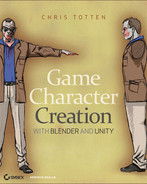
Game Character Creation with Blender and Unity
A complete guide to creating usable, realistic game characters with two powerful tools Creating viable game characters requires a combination of skills. This book teaches game creators how to create usable, realistic game assets using the power of an open-source 3D application and a free game engine. It presents a step-by-step approach to modeling, texturing, and animating a character using the popular Blender software, with emphasis on low polygon modeling and an eye for using sculpting and textures, and demonstrates how to bring the character into the Unity game engine. * Game creation is a popular and productive pursuit for both hobbyists and serious developers; this guide brings together two effective tools to simplify and enhance the process * Artists who are familiar with Blender or other 3D software but who lack experience with game development workflow will find this book fills important gaps in their knowledge * Provides a complete tutorial on developing a game character, including modeling, UV unwrapping, sculpting, baking displacements, texturing, rigging, animation, and export * Emphasizes low polygon modeling for game engines and shows how to bring the finished character into the Unity game engine Whether you're interested in a new hobby or eager to enter the field of professional game development, this book offers valuable guidance to increase your skills.
eBook

Blender master class : a hands-on guide to modeling, sculpting, materials, and rendering
Blender is a powerful and free 3D graphics tool used by artists and designers worldwide. But even experienced designers can find it challenging to turn an idea into a polished piece.For those who have struggled to create professional-quality projects in Blender, author Ben Simonds offers this peek inside his studio. Youll learn how to create 3D models as you explore the creative process that he uses to model three example projects: a muscular bat creature, a futuristic robotic spider, and ancient temple ruins. Along the way, youll master the Blender interface and learn how to create and refine your own models.Supplementary download includes files for each project in the book, as well as extra textures, brushes, and other resources.Covers Blender 2.6x.
eBook