
Catalogue Search | MBRL


Are you sure you want to remove the book from the shelf?

{{itemTitle}}
9
result(s) for
"Chromebook (Computer)"
Sort by:

Chromebook for dummies
Overwhelmed by your Google Chromebook and its capabilities? LaFay takes the intimidation out of the technology, explains how to maximize the performance of your Chromebook, and helps you focus on having fun with your new device.
Book
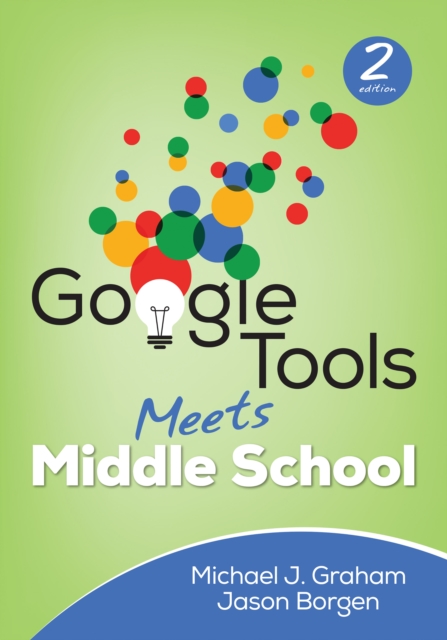
Google Tools Meets Middle School
Become a master of 21st century learning for your students Google Apps and Chromebooks have become ubiquitous in classrooms, but how can you thoughtfully and seamlessly integrate these tools into day-to-day teaching to prepare your students for the jobs of the future? Filled with actionable instruction ideas, the newest edition of this bestselling book includes: • Step-by-step tutorials on how to use the Google Apps for Education suite so students can create, collaborate, and share their work • How each tool can impact student learning, promote 21st-century skills, and meet and exceed ISTE NETs, Common Core, and other standards • New and updated classroom examples, teaching tips, and sample lessons to help you use these tools most effectively The exciting second edition will invigorate veteran teachers to implement new strategies while helping novice teachers get familiar with crucial technology components students need for success for high school and later in life. “Graham and Borgen have hit the nail on the head! They have compiled extensive resources to provide the teachers with a one-stop location to move technology integration forward in a school or district.” Tim Landeck, Director, Technology Services Pajaro Valley Unified School District, Watsonville, CA “Given the fact that Google now dominates the edtech market, mastering the tools in the G Suite for Education is no longer a luxury but rather a necessity for 21st-century educators. The authors have written a comprehensive instructional work the covers the full range of Google tools -- from Gmail to Google Drive and beyond. Pedagogy, lesson ideas, and helpful tech tips round out a book that will surely be a must read for any forward-thinking educator.” Dr. John Davenport, Middle School ELA and History Teacher Portola Valley School District, Portola Valley, CA
eBook

Deploying Chromebooks in the classroom : planning, installing, and managing Chromebooks in schools and colleges
Learn how to deploy Chromebook computers in a classroom or lab situation and how to navigate the hardware and software choices you face. This book equips you with the skills and knowledge to plan and execute a deployment of Chromebook computers in the classroom. Teachers and IT administrators at schools will see how to set up the hardware and software swiftly on your own or with the help of your students. Step-by-step instructions and practical examples walk you through assessing the practicability of deploying Chromebooks in your school, planning the deployment, and executing it. You'll become an expert in using a Chromebook, developing plans to train your colleagues and students to use Chromebooks, and learn how to run lessons with Google Classroom. You'll learn to manage the computers and the network and troubleshoot any problems that arise.
Book

Google schools?: A chromebook case study
Computers are now an integral part of the classroom, but putting the same technology into the hands of every student can be complicated. Peter Quinn recounts the comprehensive implementation of Chromebooks in his school, and considers the pros and cons across the board, as well as for Media education specifically.
Magazine Article

Teachers’ First-Year Experience with Chromebook Laptops and Their Attitudes Towards Technology Integration
Because mobile technology has become so obvious in a child’s life, use of it for teaching and learning has become a necessity. This study investigates use of Chromebook laptops in 6–12 grade classrooms in relation to teachers’ experience. We employ a mixed method approach. First, we study how teachers’ years of teaching and numbers of technological tools they have are related to their comfort of teaching with Chromebook laptops, as well as their attitudes change towards technology after teaching with a Chromebook for a year. Second, to have more specific thoughts about teachers’ Chromebook experience, we conducted qualitative analyses to hear teachers’ voices. Of the 658 6–12 grade Mathematics and English teachers from 30 schools invited to be part of the study, 553 teachers completed the survey. We utilized Pearson Product correlation for the first question. A paired-sample
t
test was run to examine whether teachers’ attitudes towards technology use changed after teaching with Chromebooks for a year. For the qualitative part, we used a Phenomenological approach to analyze what teachers felt about their experience with Chromebooks. We found that teachers’ comfort of teaching is not significantly correlated with their years of experience. As expected, there was a statistically significant relationship between the number of technological tools they had and their comfort of teaching with technology. Teachers’ attitudes significantly decreased after teaching with Chromebooks for a year. Teachers complained about excessive blocking and lack of tech support, along with some suggestions including filtering and proper training, both for teachers and students that is for a smoother transition from traditional teaching to Chromebook-integrated teaching. Findings and implications are presented to help schools improve technology integration in the discussion and conclusion parts.
Journal Article

Lightweight alternative tech: a study of Chromebooks in the academic library classroom
Purpose
The purpose of this paper is to evaluate Chromebooks as an alternative to the traditional computer laboratory for library instruction in an academic environment. The results of this study could help inform the creation of a mobile instruction lab that students and librarians quickly construct inside any classroom with minimal effort and no software to manage.
Design/methodology/approach
An online survey was distributed to student participants. The survey contained two demographic questions followed by seven user experience questions related to the in-classroom use of Chromebooks; most questions were quantitative in nature.
Findings
The majority of respondents (84 percent) strongly or somewhat agreed that Chromebooks were easy to use, and 15 percent of the respondents reported some difficulty accessing the university’s Wi-Fi system while using the devices.
Research limitations/implications
This introductory study was limited to a survey population primarily comprised of lower-level undergraduate students in their first two years of study. Additionally, Chromebooks were not tested in an educational environment using G Suite for Education, which could increase the opportunities for use in an academic setting.
Practical implications
The study’s findings, combined with the portability and long battery life of Chromebooks, make them a candidate for a mobile instruction lab.
Originality/value
This research seeks to explore the viability of Chromebooks as an affordable and easy to manage alternative to wired instruction rooms, using a light laptop technology that is becoming increasingly familiar to college students.
Journal Article

Description and Exploration of Middle School Students' Acceptance of Chromebooks: a Mixed Methods Study
Even though there is a plethora of research on Chromebooks™ and cloud-computing devices in education, the majority of the research focuses on their impact on various outcomes and their evaluation in terms of project implementation. Little has been documented about students’ attitude toward and actual use of Chromebooks™ and other cloud-computing devices at schools—yet students’ acceptance of Chromebooks™ is important for successful technology initiatives and efforts. This mixed-method study uses the Technology Acceptance Model (TAM, Davis, 1989) as a framework to examine middle school students’ attitudes toward and use of Chromebooks™. Quantitative data were obtained with the Computer Attitude Measure for Young Students (CAMYS, Teo & Noyes, 2008) and the Current Technology Use Survey (Lei & Zhao, 2008) from middle school students (n = 182) who attend a 1:1 Chromebook school and have 24/7 access to the devices. Following the survey, qualitative data were collected through semi-structured interviews (n = 8). Data analysis included descriptive statistics, independent samples t-tests, ANOVA and thematic analysis. The results of quantitative data analysis showed that the general attitudes toward Chromebooks™ were very close to the highest score obtainable on the survey (M = 52.07 out of 60). Results of ANOVA analysis for the effects of age, Chromebook™ use in school and outside of school produced no statistically significant effects on students’ general attitude toward Chromebooks™. Additionally, the descriptive statistics regarding the tasks completed using Chromebook™ indicated that most students use their Chromebooks™ for doing homework (98.3%) and for searching for information (98.9%). Chatting online (3.4%) and creating websites (16.9%) were the tasks with the lowest positive responses. Qualitative interviews were conducted with students who scored particularly high or low on the CAMYS. While there were few differences between how students with more positive or negative attitudes reported using Chromebooks at home or at school, these students differed in their affect toward Chromebooks™ and how easy they perceive these devices are to use. Both groups of students with high and low attitudes found their Chromebooks™ useful for academic purposes. The qualitative interviews also revealed that Chromebook™ use varied across their classes with some classes such as Language Arts requiring students to use them nearly all the time and other classes such as Mathematics rarely requiring students to use them. Implications for researchers and practitioners are provided. Practitioners may gain valuable information about technology inititatives by investigating student perspectives related to devices such as Chromebooks™. In addition, understanding how students use school-issued devices voluntarily outside of the school may help inform how the devices can be more effectively used in school. In this study, attitudes did not differ by gender or age which is encouraging. However, several contextual factors may have contributed to these resuts including the fact that students had 24/7 access to school-issued Chromebooks™ and that adoption was mandatory for students in school. More research is needed in this area. There was considerable variation in how students reported using Chromebooks™ within their classes. This may be because different subjects lend themselves more naturally to Chromebook™ use, because of a need for professional development to help teachers understand how to better integrate the devices or because of other unknown reasons. More research also is needed in this area. As Chromebooks™ become more widespread, there are many opportunities for researchers to use this study as a launching pad for future research. For example, future studies may use more than a one-predictor model to show the relative effects of different variables because there are likely other factors that need to be taken into account when examining Chromebook™ attitudes such as computer/Chromebook™ experience, and support/encouragement to use computers/Chromebook™. Researchers may also use computer attitude surveys other than CAMYS which focuses only three dimensions of computer attitude or, possibly, develop a survey specific to measuring attitudes toward Chromebook. Researchers could also understand more specifics about Chromebook™ use through observational studies. Examining teachers’ attitudes and acceptance of Chromebooks™ and the extent to which student-centered use is part of their approach to integrating them would also make important contributions to our knowledge base.
Dissertation

Google schools? A chromebook case study
Computers are now an integral part of the classroom, but putting the same technology into the hands of every student can be complicated. Peter Quinn recounts the comprehensive implementation of Chromebooks in his school, and considers the pros and cons across the board, as well as for Media education specifically. [Author abstract]
Magazine Article