
Catalogue Search | MBRL


Are you sure you want to remove the book from the shelf?

{{itemTitle}}
15
result(s) for
"JSON (Document markup language)"
Sort by:

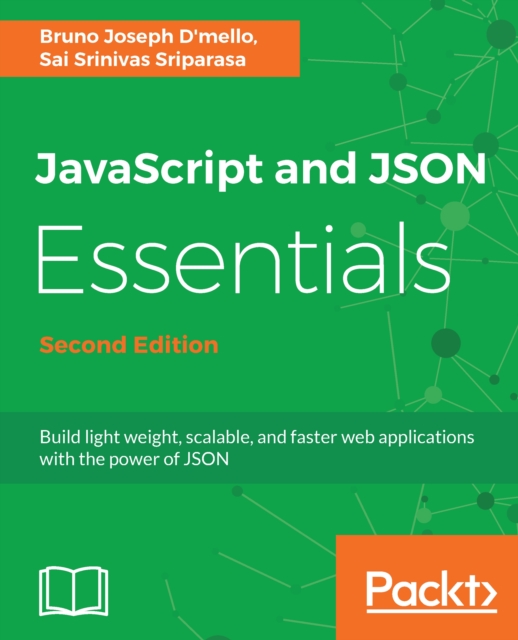
JavaScript and JSON Essentials
JSON is an established and standard format used to exchange data. This book shows how JSON plays different roles in full web development through examples. By the end of this book, you'll have a new perspective on providing solutions for your applications and handling their complexities.
eBook

Java XML and JSON : document processing for Java SE
\"Use this guide to master the XML metalanguage and JSON data format along with significant Java APIs for parsing and creating XML and JSON documents from the Java language. New in this edition is coverage of Jackson (a JSON processor for Java) and Oracle's own Java API for JSON processing (JSON-P), which is a JSON processing API for Java EE that also can be used with Java SE. This new edition of \"Java XML and JSON\" also expands coverage of DOM and XSLT to include additional API content and useful examples. All examples in this book have been tested under Java 11. In some cases, source code has been simplified to use Java 11's var language feature. The first six chapters focus on XML along with the SAX, DOM, StAX, XPath, and XSLT APIs. The remaining six chapters focus on JSON along with the mJson, GSON, JsonPath, Jackson, and JSON-P APIs. Each chapter ends with select exercises designed to challenge your grasp of the chapter's content. An appendix provides the answers to these exercises.\"--Provided by publisher.
Book
JavaScript JSON cookbook
About This BookCreate fast and dynamic JavaScript applications that implement JSONPractical examples to show you how to leverage JSON from a variety of application domainsBecome the go-to person for building JSON-enabled web applications in your organizationWho This Book Is ForIf you're writing applications that move structured data from one place to another, this book is for you. This is especially true if you've been using XML to do the job because it's entirely possible that you could do much of the same work with less code and less data overhead in JSON.While the book's chapters make some distinction between the client and server sides of an application, it doesn't matter if you're a frontend, backend, or full-stack developer. The principles behind using JSON apply to both the client and the server, and in fact, developers who understand both sides of the equation generally craft the best applications.
eBook

MySQL and JSON : a practical programming guide
This hands-on guide teaches, step by step, how to use JavaScript Object Notation (JSON) with MySQL. Written by a MySQL Community Manager for Oracle, MySQL and JSON: A Practical Programming Guide shows how to quickly get started using JSON with MySQL and clearly explains the latest tools and functions. All content is based on the author's years of interaction with MySQL professionals. Throughout, real-world examples and sample code guide you through the syntax and application of each method. You will get in-depth coverage of programming with the MySQL Document Store-- Provided by publisher.
Book

Jq command tutorials for Bash shell scripting
Nowadays, DevOps automation is more into REST API usage, and REST API response is JSON. So, to implement bash shell scripts using REST APIs, you must know how to parse the response of REST API (that is, parse JSON data). Jq is a program developed to filter JSON data. You can consider Jq like sed, awk, or grep program but designed specifically for filtering JSON data. Jq supports filters, conditions, operators, and other language features. While the creation and understanding of JSON data are effortless due to its human-readable format, JSON data parsing is still a very complicated task to achieve if done manually. Instead, you can use programs like Jq to parse JSON data in minutes. In this course, you will see the usage of the Jq command in Bash Shell Scripts, followed by filters and options to work with JSON objects. After that, you will look at the simple usage of the Jq command in Shell Scripts and start working with JSON arrays using the index concept. Next, you will be constructing objects and arrays with and without inputs and the usage of the -n option in Jq Command. Finally, you will study the Jq functions. By the end of this course, you will have learned and gained the requisite confidence to work with the Jq Command using Bash Shell scripting in detail.
Streaming Video

SQL server advanced data types : JSON, XML, and beyond
Deliver advanced functionality faster and cheaper by exploiting SQL Server's ever-growing amount of built-in support for modern data formats. Learn about the growing support within SQL Server for operations and data transformations that have previously required third-party software and all the associated licensing and development costs. Benefit through a better understanding of what can be done inside the database engine with no additional costs or development time invested in outside software. Widely used types such as JSON and XML are well-supported by the database engine. The same is true of hierarchical data and even temporal data. Knowledge of these advanced types is crucial to unleashing the full power that's available from your organization's SQL Server database investment. SQL Server Advanced Data Types explores each of the complex data types supplied within SQL Server. Common usage scenarios for each complex data type are discussed, followed by a detailed discussion on how to work with each data type. Each chapter demystifies the complex data and you learn how to use the data types most efficiently. The book offers a practical guide to working with complex data, using real-world examples to demonstrate how each data type can be leveraged. Performance considerations are also discussed, including the implementation of special indexes such as XML indexes and spatial indexes. What You'll Learn: Understand the implementation of basic data types and why using the correct type is so important Work with XML data through the XML data type Construct XML data from relational result sets Store and manipulate JSON data using the JSON data type Model and analyze spatial data for geographic information systems Define hierarchies and query them efficiently through the HierarchyID type.
Book

Practical Bootcamp JWT authentication with Java and SpringBoot
JWT (JSON web token) is a standard for securing APIs in a Microservices architecture; using this standard, we can secure APIs’ built-in technology such as Nodejs, Python, .NET, and so on. But in this course, we will build APIs using Java and Spring Boot and then we will be securing them using JWT and Spring security. We will cover important concepts such as authentication, authorization, the importance of securing RESTful APIs, JWT (Json Web Token), various components and terminology associated with JWT, Workflow, and a diagrammatic use case of using JWT. Along the course, you will learn to implement JWT in our Spring Boot project by creating a Spring Boot project from scratch. We will add the required Maven dependencies and learn to set up projects in GitHub and follow a continuous integration process. You will also learn to create our Hibernate entity classes and start configuring JWT and Spring security. Moving further, we will configure the allowed and not allowed endpoints and create user registration and login endpoints. We will understand how to create role-based classes and create multiple roles as well as restrict users to functionalities based on roles. By the end of the course, you will learn to create security-related classes such as configuration, filters, and services, and learn to use Postman to test our APIs. All resources and code files are placed at GitHub.
Streaming Video


REST Assured Fundamentals
Master REST Assured for real-world API testing, schema validation, GPath techniques, and hands-on practice with JSON, XML, and target applications. Key Features: Mastering all core features of REST AssuredAdvanced use of REST Assured to extract explicit data from an HTTP responseTest and validate against both XML and JSON Schemas. course Description: Join our comprehensive REST Assured course, a guided journey into the essentials of REST API testing. Begin with software setup and real-world applications such as the Video Game Database and Football Data API. Create an IntelliJ project, install REST Assured, and dive into practical exercises. Learn REST Assured fundamentals, from base class setup to request and response specifications, and configuring files. The course covers object serialization, validation against XML and JSON schemas, and response time measurement. Delve into GPath for JSON, starting with basic find operations. Additionally, you will become skilled at extracting data from responses, including headers and explicit data using JSON path. . Explore advanced features such as ‘findAll’ for extracting multiple data points, and apply functions such as ‘Min’, ‘Max’, ‘Collect’, and ‘Sum’. Combine finds with parameters for precision. For XML data, master GPath mirroring, including attributes, node extraction, depth-first searches, and node filtering based on conditions. By the end of the course, you will possess a profound understanding of REST Assured and its advanced capabilities. What you will learn: . Explore request and response specsLearn to create API test base class. Understand how to measure response time. Learn how to handle all HTTP verbs. Explore advanced Groovy GPATH assertions. Understand the validation of XML and JSON schemas. Who this course is for: This course is designed for those seeking a swift and efficient grasp of REST Assured’s fundamental features. While no prerequisites are necessary, having some basic knowledge of Java can enhance your learning experience. Familiarity with API concepts is beneficial but not essential. This course accommodates learners with minimal Java and API testing background.
Streaming Video