
Catalogue Search | MBRL


Are you sure you want to remove the book from the shelf?

{{itemTitle}}
2
result(s) for
"Manga Studio (Computer file)"
Sort by:
Mastering Manga Studio 5
Key benefitsMake Manga Studio 5 your own personalized software by creating your own workspace, tools, page layouts, and materialsExplore using 3D models, actions, ruler tools, and creating projects to save you timeFull of examples, illustrations, and tips with a lighthearted and fun style to make comic creation fun and easyDescriptionTime is something that almost every artist doesn't have enough of. If you're an illustrator or comic creator you know just how much time and effort it can take to produce one great page. But the features in Manga Studio 5 can make this process a lot more streamlined and give you more time to create! \"Mastering Manga Studio 5\" will teach you how to create more comics and illustrations in less time than you ever thought possible. By using the features of Manga Studio 5 like the Story Editor, Custom brushes, actions, materials, and 3D models, you'll learn how to make Manga Studio work for your style and workflow. Go from being a novice Manga Studio user to an expert using the tricks, techniques, and projects in this guide. Learn how to make and share custom tools, set up left- and right-handed workspaces, make custom materials, alter 3D models, and create custom actions. By putting together a custom story project and making your own tools, automating redundant processes, and converting an inked art into a traditional comic art, you'll learn all about the advanced features of Manga Studio 5. \"Mastering Manga Studio 5\" will teach you what you need to know to produce more work in less time.Who is this book for?This book is for those who already have some Manga Studio and graphics program experience. It is not a beginner's guide, but if you are a novice Manga Studio 5 user it will help you to master the time-saving features of the software.What you will learnSet up and save custom page templates to use in your comicsLearn how to use the story editor features efficientlyCreate custom workspaces for drawing, coloring, and moreMake custom sets of colors and use them to speed up your coloring processSearch, use, navigate, edit, and make materialsLearn how to insert, pose, and edit 3D modelsAutomate actions for redundant processesIntegrate everything learned to create a finished, colored comic page
eBook
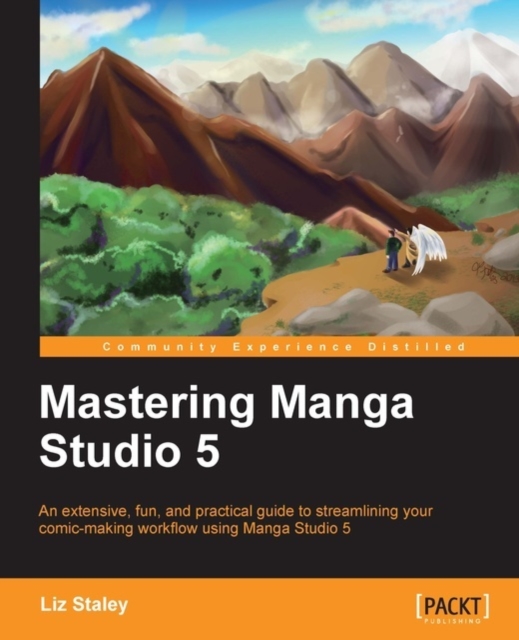
Mastering Manga Studio 5
In Detail Time is something that almost every artist doesn't have enough of. If you're an illustrator or comic creator you know just how much time and effort it can take to produce one great page. But the features in Manga Studio 5 can make this process a lot more streamlined and give you more time to create! \"Mastering Manga Studio 5\" will teach you how to create more comics and illustrations in less time than you ever thought possible. By using the features of Manga Studio 5 like the Story Editor, Custom brushes, actions, materials, and 3D models, you'll learn how to make Manga Studio work for your style and workflow. Go from being a novice Manga Studio user to an expert using the tricks, techniques, and projects in this guide. Learn how to make and share custom tools, set up left- and right-handed workspaces, make custom materials, alter 3D models, and create custom actions. By putting together a custom story project and making your own tools, automating redundant processes, and converting an inked art into a traditional comic art, you'll learn all about the advanced features of Manga Studio 5. \"Mastering Manga Studio 5\" will teach you what you need to know to produce more work in less time. Approach \"Mastering Manga Studio 5\" will follow an explanatory, work through manual approach. The main features of Manga will be presented in each section along with exciting tips, vital techniques and impressive workflows. Who this book is for This book is for those who already have some Manga Studio and graphics program experience. It is not a beginner's guide, but if you are a novice Manga Studio 5 user it will help you to master the time-saving features of the software.
eBook