
Catalogue Search | MBRL


Are you sure you want to remove the book from the shelf?

{{itemTitle}}
25
result(s) for
"Raspberry Pi (ordinateur)."
Sort by:

Raspberry Pi with Java : programming the Internet of Things (IoT)
\"Create embedded projects for personal and professional application. Join the Internet of Things revolution with a project-based approach to building embedded Java applications. Written by recognized Java experts, this Oracle Press guide features a series of low-cost, DIY projects that gradually escalate your development skills. Learn how to set up and configure your Raspberry Pi, connect external hardware, work with the NetBeans IDE, and write and embed powerful Java applications. Raspberry Pi with Java: Programming the Internet of Things (IoT) covers hobbyist as well as professional home and industry applications.\" --Back cover.
Book
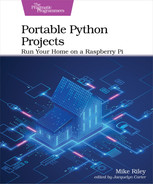
Portable Python Projects
Discover easy ways to control your home with the powerful new Raspberry Pi hardware. Program short Python scripts that will detect changes in your home and react with the instructions you code. Use new add-on accessories to monitor a variety of measurements, from light intensity and temperature to motion detection and water leakage. Expand the base projects with your own custom additions to perfectly match your own home setup. Most projects in the book can be completed in under an hour, giving you more time to enjoy and tweak your autonomous creations. No breadboard or electronics knowledge required! Get to know the latest Raspberry Pi hardware, and create awesome automation solutions for home or work that don't require an electronics degree, cumbersome add-ons, or expensive third-party subscription services. Create easy to run Python scripts on your own that make your Pi do things that would have required a team of automation experts to build only a few years ago. Connect to and control popular home automation lighting systems from a Raspberry Pi. Trigger autonomous actions based on movement, temperature, and timer events. Power on your own computer and appliances using your voice. Remotely control infrared-enabled consumer electronics, create chatbots to retrieve personalized items of interest, and implement a temperature-monitoring room fan. These are just some of the projects that the book will show you how to make. Most projects can be completed and operational in under an hour, and do not require any messy schematics or a spaghetti bowl of wires and breadboard-attached circuits to operate. Control your home or office exactly the way you want instead of relying on an expensive mysterious box of third-party technology to do it for you. What You Need: Raspberry Pi (Pi 4 Model B or higher recommended) running Raspberry Pi OS
eBook

Raspberry Pi 3 Cookbook for Python Programmers
Raspberry Pi 3 is a tiny affordable chip used to learn and program through interactive projects. It has gained a lot of traction as the first choice in single-board computers due to its versatility. It extends a wide range of support to Python programming. This recipe-based guide will allow you to showcase the capabilities of Raspberry Pi 3.
eBook

Internet of Things with Raspberry Pi 3
Internet of Things (IoT) is currently a growing trend in the technology space, and Raspberry Pi is the perfect board to get started with building IoT projects. Applications of IoT are the basis of smart homes and when scaled up, we can drive smart cities and achieve manufacturing automation. This book covers many powerful features of.
eBook
Mastering internet of things
The Internet of Things (IoT) is the fastest growing technology market. Industries are embracing IoT technologies to improve operational expenses, product life, and people's well-being. Mastering Internet of Things starts by presenting IoT fundamentals and the smart city. You will learn the important technologies and protocols that are used for the Internet of Things, their features, corresponding security implications, and practical examples on how to use them. This book focuses on creating applications and services for the Internet of Things. Further, you will learn to create applications and services for the Internet of Things. You will be discover various interesting projects and understand how to publish sensor data, control devices, and react to asynchronous events using the XMPP protocol. The book also introduces chat, to interact with your devices. You will learn how to automate your tasks by using Internet of Things Service Platforms as the base for an application. You will understand the subject of privacy, requirements they should be familiar with, and how to avoid violating any of the important new regulations being introduced. At the end of the book, you will have mastered creating open, interoperable and secure networks of things, protecting the privacy and integrity of your users and their information.
eBook
Portable Python Projects
Get to know the latest Raspberry Pi hardware, and create awesome automation solutions for home or work that don't require an electronics degree, cumbersome add-ons, or expensive third-party subscription services. Create easy-to-run Python scripts on your own that make your Pi do things that would have required a team of automation experts to build only a few years ago. Connect to and control popular home automation lighting systems from a Raspberry Pi. Trigger autonomous actions based on movement, temperature, and timer events. Power on your own computer and appliances using your voice. Remotely control infrared-enabled consumer electronics, create chatbots to retrieve personalized items of interest, and implement a temperature-monitoring room fan. These are just some of the projects that the book will show you how to make. Most projects can be completed and operational in under an hour, and do not require any messy schematics or a spaghetti bowl of wires and breadboard-attached circuits to operate. Control your home or office exactly the way you want instead of relying on an expensive mysterious box of third-party technology to do it for you.
eBook

Raspberry Pi for dummies
A recipe for having fun and getting things done with the Raspberry Pi The Raspberry Pi makes it easy to learn about computers and computer programming, and Raspberry Pi For Dummies makes it even easier! Using this extremely affordable and compact computer, you can learn to code in languages like Scratch and Python, explore how electronics work, create computer-generated buildings in Minecraft and music in Sonic Pic, become Linux-savvy, make Internet-of-Things devices, or just play around! This book gets you up and running on your Raspberry Pi, starting with setting it up, downloading the operating system, and using the desktop environment. Then, the only limit is your imagination! It doesn't matter whether you have a Raspberry Pi 4, Raspberry Pi 400, Raspberry Pi Zero W or an older model: we've got you covered. Raspberry Pi For Dummies explores the latest technology—the Raspberry Pi 4 and 400, Scratch 3 programming language, new games bundled with the Raspberry Pi, and the hottest Add-Ons out there. This introductory guide is the perfect place to start if you want to get a taste of everything the Raspberry Pi can do! * Set up your Raspberry Pi, install the operating system, and connect to the Internet * Learn the basics of the Linux desktop and Linux shell so you can program, work, and play * Use Python, Scratch, and Sonic Pi to write your first programs and make games and digital music * Discover how circuits work hand-in-hand with your Pi If you want to make the most of the Raspberry Pi for school, work, or play, you'll love this easy-to-read reference.
eBook

Introduction to IoT with Machine Learning and Image Processing using Raspberry Pi
Machine Learning, a branch of Artificial Intelligence, is influencing society, industry and academia at large. The adaptability of Python programming language to Machine Learning has increased its popularity further. Another technology on the horizon is the Internet of Things (IoT). This book tries to address IoT, Python and Machine Learning along with a brief introduction to Image Processing. If you are a novice programmer or have just started exploring the IoT or Machine Learning with Python, this book is for you.
Features:
Raspberry Pi as IoT is described along with procedures for installation and configuration.
A simple introduction to Python Programming Language, along with its popular library packages like NumPy, Pandas, SciPy and Matplotlib, are explained exhaustively along with relevant examples.
Machine Learning with Python Scikit-Learn library is explained with an emphasis on supervised learning and classification.
Image processing on IoT is introduced for an audience who loves to apply Machine Learning algorithms to Images.
This book follows a hands-on approach and provides a huge collection of Python programs.
About the Authors
Dr. Shrirang Ambaji Kulkarni is a prolific learner, author and faculty member with over 18 years of experience in the field of Computer Science and Engineering. He currently works as an Associate Professor at the National Institute of Engineering in the Department of Computer Science and Engineering, Mysore, India.
Dr. Varadraj Gurpur is an eminent faculty member and researcher in the field of Health Informatics. He has authored many research articles in reputed journals. He currently works as an Associate Professor at the University of Central Florida in the Department of Health Informatics, Florida, USA.
Dr. Steven Lawrence Fernandes is a high-profile researcher in the field of Image Processing. He currently works as a Post-Doctoral Fellow at the University of Central Florida in the Department of Computer Science and Engineering, Florida, USA.
eBook

Springer Nature computing video. Securing a Spring Boot Rest api using Spring security with iPad pro and Raspberry pi 4
After setting up your development environment in Creating a Spring Boot REST API with iPad Pro and Raspberry Pi 4, continue learning to build a complex and practical web application anywhere with a minimalistic setup. Not only will you get to experience technologies used in famous enterprise web applications, you will also be able to code using only your iPad and a Raspberry Pi. The common misconception is that you can only use your iPad for small code changes, or small code additions while on the go. You will learn that you can do so much more and code an entire application with just your iPad and Raspberry Pi. In this second video, secure the REST API from the previous tutorial using Spring Security. Given that the test application you created will handle personal finances, securing the API is a mandatory step in the development of your project. Also, it's fascinating to be able to create a secure API using only an iPad and a Raspberry Pi. What You'll Learn: Support authentication on the the device and server; Learn about the Security Payload; Take full stack development to another, mobile level. Who This Video Is For: Tech enthusiasts who want to use only an iPad and a Raspberry Pi to build complex web applications on the go. Developers eager to learn how to architect and code full stack applications with minimalist tech.
Streaming Video

Springer Nature computing video. Front-end development with iPad pro and Raspberry pi 4
In this third video, finish building a complex and practical web application anywhere with a minimalistic setup. Not only will you get to experience technologies used in famous enterprise web applications, you will also be able to code using only your iPad and a Raspberry Pi. The common misconception is that you can only use your iPad for small code changes, or small code additions while on the go. You will learn that you can do so much more and code an entire application with just your iPad and Raspberry Pi. In this third and final video, you'll build the front-end of your application. For this, we'll use React JS-the most common JavaScript framework. We'll also work with Tailwind CSS, which makes developers' lives easier by pre-defining styles while not imposing them over the final design. You'll integrate both with your Spring Boot Rest API, which will result in a solid, enterprise level web application. What You'll Learn: Develop the front-end of your application; Apply styles and design patterns with Tailwind CSS; Take full stack development to another, mobile level. Who This Video Is For: Tech enthusiasts who want to use only an iPad and a Raspberry Pi to build complex web applications on the go; Developers eager to learn how to architect and code full stack applications with minimalist tech.
Streaming Video