
Catalogue Search | MBRL


Are you sure you want to remove the book from the shelf?

{{itemTitle}}
71
result(s) for
"Windows NT"
Sort by:

Windows 11 all-in-one for dummies
Get more out of your Windows 11 computer with easy-to-follow advice Powering 75% of the PCs on the planet, Microsoft Windows is capable of extraordinary things. And you don't need to be a computer scientist to explore the nooks and crannies of the operating system! With Windows 11 All-in-One For Dummies, anyone can discover how to dig into Microsoft's ubiquitous operating system and get the most out of the latest version. From securing and protecting your most personal information to socializing and sharing on social media platforms and making your Windows PC your own through personalization, this book offers step-by-step instructions to unlocking Windows 11's most useful secrets. With handy info from 10 books included in the beginner-to-advanced learning path contained within, this guide walks you through how to: Install, set up, and customize your Windows 11 PC in a way that makes sense just for you Use the built-in apps, or download your own, to power some of Windows 11's most useful features Navigate the Windows 11 system settings to keep your system running smoothly Perfect for anyone who's looked at their Windows PC and wondered, \"I wonder what else it can do?\", Windows 11 All-in-One For Dummies delivers all the tweaks, tips, and troubleshooting tricks you'll need to make your Windows 11 PC do more than you ever thought possible.
eBook

Windows 10 at work for dummies
You've got work to do and you don't want to waste time trying to figure out all the new Windows 10 stuff. Rusen shows you exactly what you need to get your work done.
Book

The design and experimental research of an open architecture soft-CNC system based on RTX and an IPC
The concept of open architectures has been discussed extensively for many years. Software-oriented Computer Numerical Control (soft-CNC) is considered as one of the ideal solutions for open architecture CNC (OACNC). In recent years, this has become the mainstream direction for open CNC systems by employing a personal computer (PC) as the hardware platform and a real-time operating system as the software platform. However, existing CNC systems are limited in expansibility, portability, modularity, networking, and openness. In order to overcome these problems and in accordance with the characteristics and requirements of an OACNC system, a novel numerical control kernel (NCK) based on the real-time extension (RTX) and an industrial personal computer (IPC) is proposed. The implementation of the NCK is a difficult task, especially when real-time performance is desired. To compensate for the lack of real-time features in Windows NT, RTX provides a real-time software environment to implement the time-critical operations of a CNC system on an IPC by modifying the hardware abstraction layer (HAL). The proposed soft-CNC system consists of four components: the human machine interface (HMI), shared memory, the real-time subsystem (RTSS), and the device layer. This work first presents the hierarchical system architecture for developing an open architecture soft-CNC system and then describes the choices for the hardware and software platform of the soft-CNC system. Furthermore, this paper focuses on the software design and implementation of the soft-CNC system; thus, the software tasks, data flow, and the communication mechanisms are studied in detail. Finally, experiments are conducted to validate the real-time performance, the schedulability and the functions of the proposed soft-CNC system, thus verifying its feasibility.
Journal Article
A CNC system based on real-time Ethernet and Windows NT
Modern manufacturing industry requires computer numerical control (CNC) systems to be more open, extendable, and networked. Real-time Ethernet is introduced and its use in CNC is discussed in this paper. Compared to traditional fieldbus, a real-time Ethernet which modifies the Ethernet data link layer to achieve fast delivery time and high synchronization accuracy is discussed. The method of synchronizing distributing clocks to reduce cumulative jitter of transmission for a synchronization frame is proposed. Some special considerations of this real-time Ethernet are discussed, e.g., incorporation with Windows NT and making feedback returned faster. A CNC system based on such a real-time Ethernet and Windows NT has been developed and presented. The system involves the service-oriented Windows Communication Foundation as an up-layer interface to the Internet, and a real-time Ethernet for connecting to hardware components of a machine tool. The non-real-time aspect of Windows NT is accounted for; for example, a driver rewriting the interrupt descriptor table is introduced and packets to be sent are buffered. Design and implementation of this system, such as main classes and services in the NC kernel, main modules (e.g., data link layer) in salve nodes, are also discussed. At last, experimental results are presented to illustrate the Windows NT’s performance and the real-time accuracy of the synchronization method.
Journal Article
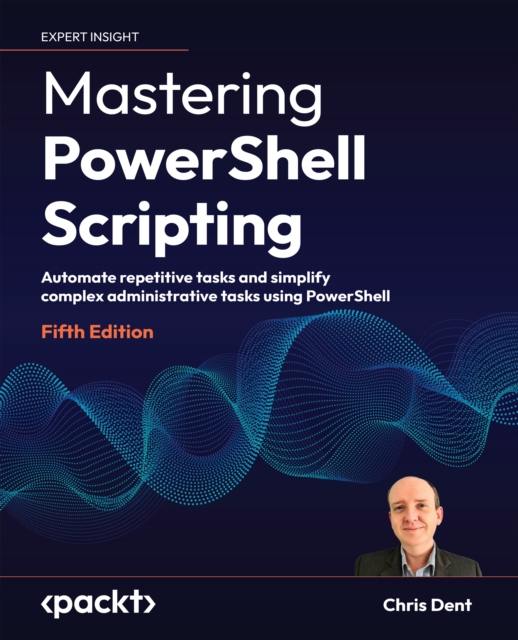
Mastering PowerShell Scripting
Use PowerShell to save time and reduce the potential for human error by writing scripts that automate the execution of tasksPurchase of the print or Kindle book includes a free PDF eBook. Key Features * Explores PowerShell as a programming language * Take advantage of the features built into the PowerShell language in day-to-day automation * Automation of complex tasks, data manipulation, and environment security Book Description Mastering PowerShell Scripting, Fifth Edition, can help you overcome any fears and become proficient in navigating PowerShell's capabilities. This edition includes new chapters on debugging, troubleshooting, and creating GUIs. You will learn about the latest features of PowerShell 7.3, including working with parameters, objects, and.NET classes. The book covers basic and advanced topics, such as asynchronous processing, desired state configuration, managing large amounts of data, interacting with other services, and working with regular expressions and Windows Management Instrument (WMI). Discover how to efficiently use PowerShell's automation features and error-handling techniques for more complex scripts and filters.Starting with foundational knowledge, this extensive guide progresses to advanced concepts like using complex scripts and filters, asynchronous processing, desired state configuration, debugging, and error-handling techniques. You will learn how to effectively handle large data sets and interact with external services using PowerShell 7.3. Additionally, you'll discover how to fully utilize PowerShell's automation capabilities, including parsing data, manipulating regular expressions, and working with WMI using various methods. What you will learn * Create scripts that can be run on different systems * PowerShell is highly extensible and can integrate with other programming languages * Discover the powerful command-line interface that enables users to perform various operations with ease * Create reusable scripts and functions in PowerShell * Utilize PowerShell for various purposes, including system administration, automation, and data processing * Integrate PowerShell with other technologies such as.NET, COM, and WMI * Work with common data formats such as XML, JSON, and CSV in PowerShell * Create custom PowerShell modules and cmdlets to extend its functionality Who this book is for This book is for system administrators who want to automate and speed up their processes using PowerShell and Windows PowerShell. You'll need to know the basics of operating systems, but beginners with no prior experience with PowerShell will have no trouble following along. ]]>
eBook

Exploring Windows 8 for Dummies
Get up to speed on Windows 8! Exploring Windows 8 For Dummies packs 168 pages of magazine-style articles, lavish illustrations, and great tips into an eye-catching publication that shows you how to use the new Windows 8 operating system from start to finish. Explore new features, like the touchscreen-style interface, a big change from the classic Windows look and feel. Ideal for the reader who is already familiar with the Windows operating system, but just needs the basics on the move to Windows 8, you'll also discover new apps, new ways to handle traditional tasks, and much more. Helps readers get up to speed quickly and get the most out of the new Windows 8 operating systemBreaks down Windows 8 features and functions into a series of magazine-style spreads that offer full-color illustrations and step-by-step instructionOffers a value-priced helping hand to readers who want the basics of Windows 8Covers new Windows 8 features, getting e-mail and getting online, organizing pictures, exploring the app market, networking, printing, troubleshooting, and more Explore Windows 8 and enjoy the ride with this fun and unique new guide.
eBook

Automating Microsoft® Windows Server® 2008 R2 with Windows PowerShell® 2.0
Learn to automate the top server operating system, Windows Server 2008 R2 Windows PowerShell 2.0 allows you to automate nearly any task for managing Windows Server, going from dozens of clicks to a single command, and repeated tasks to automated tasks. Using screen shots and helpful exercises, this book walks you through the many benefits of automating Windows Server with PowerShell 2.0, such as allowing for scalable, flexible, and rapid deployments and changes; increasing cost effectiveness; providing a timely return on IT investment; lowering labor headcount; creating secure computing environments; and establishing reliable enterprise infrastructures. In addition, real-world examples provide reinforced learning, aimed at ensuring that you work as efficiently and effectively as possible by automating both simple and complex administrative tasks with Powershell 2.0. Explains how to automate both simple and complex tasks in Windows Server 2008 R2 with Powershell 2.0 Addresses how Windows Server 2008 R2 comes with more than 550 cmdlets, allowing you to automate nearly anything Offers numerous real-world examples, end-of-chapter exercises, and helpful screen shots to reinforce your learning process The power is in your hands! Start working smarter, not harder, by automating Windows Server 2008 R2 tasks with Powershell 2.0.
eBook